
Plan the view before the camera.
Start with the events you need to understand at an entrance, counter or loading area. That determines placement, lighting, storage and who should be able to review the footage.
Search footage by event.
Choose a sample event to see how object detection and activity zones can guide a footage review.
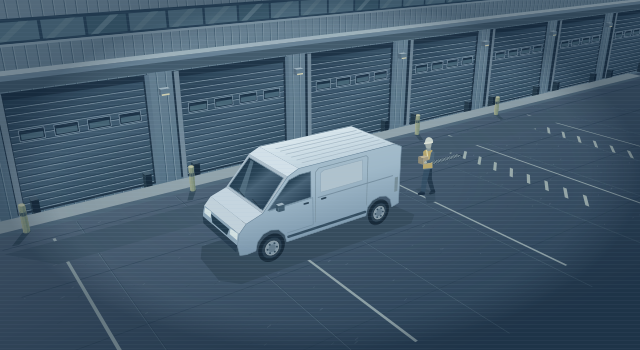
Find the delivery at the loading bay.
Filter the recording for vehicle events in the loading zone. Open a matching clip and check the arrival against the delivery log.
Review activity after closing.
A person event in a defined area can flag a clip for review. Staff check what happened before deciding whether a follow-up is needed.
Focus on one part of a busy view.
Draw an activity zone around the bay so routine movement elsewhere in the scene generates fewer alerts. Test its boundaries during a normal shift.
These examples use an illustration. Available filters depend on the cameras, recorder and licences. Lighting, occlusion and camera placement affect results. A person reviews flagged clips.
What’s covered
Coverage planning
Walk the site to check angles, lighting changes and obstructions. Set a purpose for each view before specifying equipment.
Recording and retention
Size recording around camera settings, operating hours and the retention period you choose. Plan for power, cabling and recorder location.
Playback and handover
Set viewer permissions, demonstrate search and export, and document who can approve footage requests or change settings.
Reviewing a delivery
A wide yard view can show when a truck arrived, while a separately planned entrance view can show activity at the door. Check both views under the lighting conditions when deliveries occur.
Frequently asked
Can we expand an existing system?
An assessment can identify reusable cameras, cable routes and recorder capacity. Compatibility and the required image quality guide the recommendation.
Who decides where cameras belong?
You define the business purpose and privacy requirements. We review those with you when scoping camera positions, access roles and retention settings.
Let’s scope your video surveillance.
Start with the people, locations or systems you want to cover.